


WNEP The News Station
4.41.67K Reviews
App Specs
- Version
- 50.23.2
- Updated On
- License
- Free
- Downloads
- 100,000+
- Developer
- TEGNA
- Categories
- News & Magazines
- Platform
- Android
Screenshots
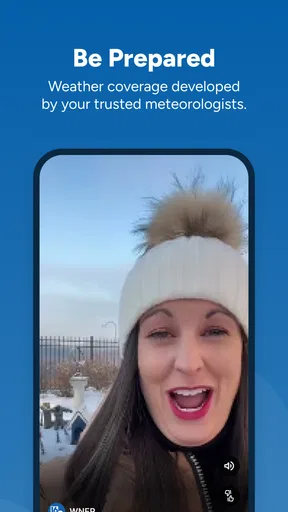
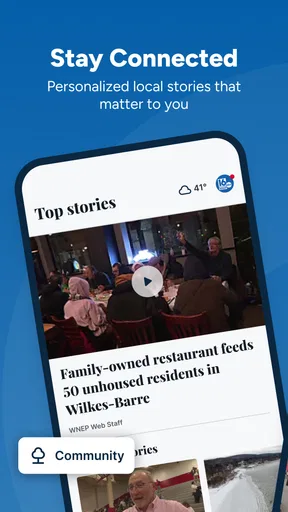
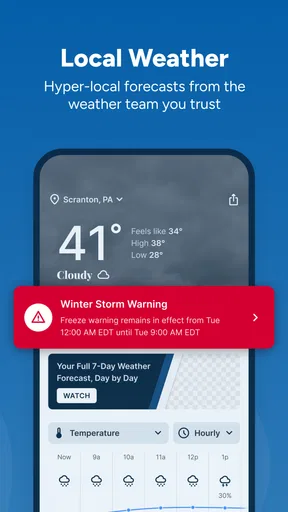
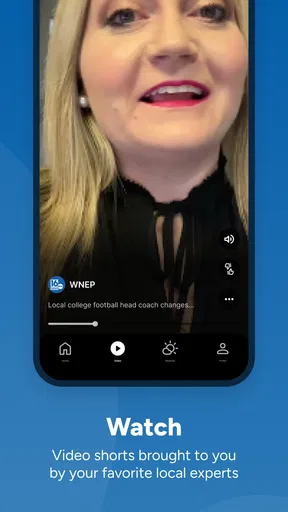
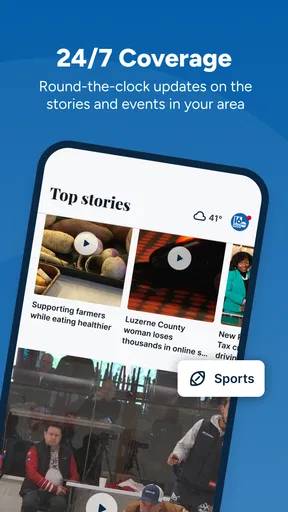
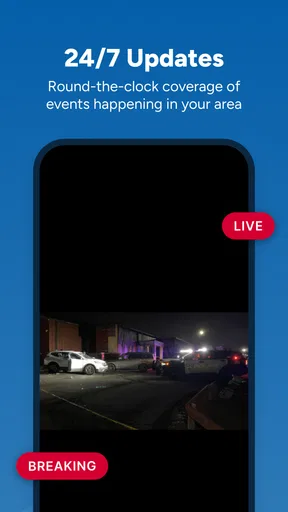
 Analysis by AppCompare
WNEP The News Station is the kind of app I open when I want local information without sorting through a broad national news feed first. Developed by TEGNA, it sits in the News & Magazines category and focuses on the news and weather relevant to the WNEP viewing area. After spending time with it, I see its main value in quick, location-aware check-ins rather than long reading sessions. It works best as a local awareness tool you keep ready for changing conditions, especially when weather or developing events matter more than national headlines.
The app is free, carries a Teen content rating, and has reached over 100 thousand installs. Its average rating is 4.4 from roughly 6 thousand ratings, with about 1.7 thousand written reviews. Those figures suggest a healthy audience, but they do not change the basic trade-off: this is a focused local news app, not a complete replacement for every source you may use during a major story.
How WNEP fits into a connected day
I find WNEP most useful when it sits alongside the other tools I already rely on: a quick local check can shape my plans, while a wider news source can fill in national context. This section looks at how I move from a first glance to a decision without expecting one app to do every job. The next part considers what changes when that connected routine is interrupted.
When the network is doing the heavy lifting
The most important thing to understand is that the experience depends heavily on connectivity. News and weather are time-sensitive, so the usefulness of the app comes from reaching current material when you open it. With a reliable connection, checking in feels practical: I can use it to see what is happening locally, look for weather information before leaving, and follow a developing situation without first navigating a national news service.
That network dependence is not a minor technical detail. It shapes when the app feels valuable. A local weather update from earlier in the day may be less helpful when conditions are changing quickly, while a fresh connection gives the app a reason to be part of my routine. I would not treat it like a static reference book that remains equally useful after the initial loading session. Its role is closer to a live window onto local coverage.
This also explains why the app can feel more useful during certain moments than during others. If I am sitting at home with a strong connection, I can take time to scan the available coverage. If I am already moving through an area with an unreliable signal, the experience becomes less predictable because the very information I want may require another request from the network.
A realistic morning commute
Imagine checking the app before leaving for work on a morning when rain is expected. I would open it while connected to home internet, review the latest weather information, and then use that context to decide whether I need extra travel time or different clothing. The value is not just the forecast itself; it is having local news and weather in one place before the day becomes busy.
Worth Reading Before You Choose

EA SPORTS FC Mobile 26 Is a Bigger Football Game, but It Takes Time

Flipboard Shows What News Apps Must Do Beyond the Feed

Switching to Android Auto Means Rethinking Your Driving Routine

Google Calendar Makes a Crowded Week Easier to Manage

Ludo King Makes the Most of the Minutes Between Plans

Baby Panda World Brings Quick Play to Modern Phones, but Its Game Library Feels Busy
On the way out, I would avoid assuming that every part of the experience will remain available if the connection becomes weak. A subway ride, a rural stretch of road, or a crowded public event can all interrupt the flow. For that reason, my practical habit would be to check important information before leaving rather than waiting until the moment I need it most. Connectivity turns preparation into a strength, while poor signal turns last-second checking into a gamble.
That is a useful distinction for commuters. The app can help me prepare, but I would not make it my only plan for urgent travel decisions. If a storm or serious local event affects safety, I would also pay attention to official alerts and other dependable channels rather than relying on one app session.
Using it in short mobile sessions
WNEP The News Station makes the most sense in brief visits. I would open it during breakfast, between errands, or while waiting for an appointment, then leave once I had caught up. That pattern suits local news better than trying to spend a long evening inside the app. The focused regional angle helps reduce the amount of irrelevant material I might encounter in a general news reader.
On a phone, that focus matters. A national aggregator may offer more subjects, but it can also make local stories harder to find among politics, business, entertainment, and international coverage. Here, the local identity is the reason to install it. I am not opening it because I want an enormous catalog of articles; I am opening it because I want information connected to the place covered by WNEP.
The trade-off is breadth. If I want several viewpoints from different publishers, deep national reporting, or a broad international briefing, I would choose a general news app or visit multiple sources. WNEP is more useful when local relevance is the priority. That makes it a companion to broader tools rather than an automatic substitute for them.
Why mobile connectivity changes the decision
Using the app over mobile data can be convenient, but I would be selective about when I refresh it. A quick check before heading out is sensible; repeatedly reopening a live news and weather app throughout the day may be less appealing if my data allowance is limited. The exact impact will depend on how often I use it, what the app loads during each visit, and the quality of my connection.
My data-conscious approach would be simple: use home or workplace Wi-Fi for a fuller catch-up, then reserve mobile sessions for genuinely useful checks. I would also avoid refreshing just out of habit when there is no reason to expect new information. This is less about avoiding the app and more about matching the app to the question I actually need answered.
People with generous data plans may never notice this trade-off. Someone traveling, using a restricted plan, or dealing with inconsistent mobile coverage should think of the app as a connected service and plan accordingly. That mindset makes the experience less frustrating because it sets realistic expectations before an important update is needed.
What happens when the connection fails
When the network drops, I treat the gap as a reason to pause rather than keep repeating the same request. Thinking ahead—checking important local information before entering a weak-signal area and keeping official communication in mind for urgent situations—makes the handoff less stressful. The next section turns that practical habit into a more intentional way to use mobile data.
Weak signal is more than an inconvenience
A weak connection can affect a local news app in a particularly awkward way. With an ordinary reading app, I may already have enough material on screen to continue. With current news and weather, the information I need may be the very thing that has not loaded yet. A slow connection can therefore make the app feel less dependable at the exact moment I am checking it for a timely update.
I would not interpret a delayed load as proof that the news itself is unavailable or that the app is broken. Network conditions can change quickly, especially in crowded places or while traveling. My first response would be to wait briefly, move to a stronger connection, or try again later rather than repeatedly tapping through the same screen.
This is one of the most important limitations for anyone considering the app. It is not a good choice as a sole emergency information source in an area where connectivity is unreliable. A local news app can help me understand a situation, but it should sit alongside official emergency communication and sensible offline preparation when safety is involved.
A practical recovery routine
When an update does not appear as expected, I would use a small recovery routine instead of assuming the content has changed. First, I would check whether other apps can reach the internet. If they cannot, the problem is probably the connection rather than WNEP. If the rest of the phone is online, I would give the app another moment, switch between Wi-Fi and mobile data when appropriate, and reopen it only after confirming that the network is stable.
I would also avoid making repeated refresh attempts while traveling through a dead zone. That wastes time and may use more mobile data without improving the result. A better workflow is to check before entering the weak-signal area, then wait until the phone reconnects. This small habit is especially helpful for weather checks before a drive or for following a local story during a commute.
If the problem continues despite a stable connection, I would compare the information with WNEP’s other official channels or a trusted local source. That does not make the app useless; it simply recognizes that timely information deserves redundancy. The app is convenient, but convenience should not become dependence.
Recovery after a missed update
Another realistic situation is missing a notification or not opening the app for several hours. In that case, I would use the next connected session as a catch-up point rather than trying to reconstruct every moment of the day. The app’s local focus makes that catch-up more manageable than scanning a large national feed, but I would still pay attention to the order and freshness of the items presented.
For an ongoing event, I would compare the latest update with earlier context when available and avoid treating the first headline I see as the complete story. Local developments can move quickly, and a short update may not answer every question. The app is useful for awareness; deeper decisions may require reading more carefully or checking an official source.
Who should skip it
I would skip this app if my main goal is international coverage, a highly customizable multi-publication feed, or extensive long-form analysis from many outlets. I would also hesitate if I frequently need information in places where the internet is unavailable or unreliable and cannot check before leaving. The network-dependent nature of current news makes that a meaningful limitation, not a minor complaint.
It may also be the wrong fit for someone who already has a preferred broad news service and rarely needs local reporting. Installing another app only helps when its regional focus adds something distinct to the routine. For me, that distinction is strongest when local weather and nearby events are more important than a wide national digest.
Making the app useful without wasting data
I get more value by opening the app with a specific question, such as whether local weather could affect an outing, instead of refreshing automatically. That makes each session easier to judge and helps me reserve mobile access for updates that matter; a longer catch-up can wait until I have a dependable connection. Next, I consider how local focus can keep those checks relevant without making the app my only source.
Build a deliberate checking habit
I would use WNEP The News Station at set moments rather than leaving it as a constant distraction. A morning check can help with planning, while a later visit can cover changes that occurred during the day. This approach keeps the app useful without turning every spare minute into another refresh.
The best timing depends on the situation. On an ordinary day, two purposeful visits may be enough for me. During rapidly changing weather or a significant local event, I might check more often, but I would still avoid assuming that every refresh will produce a meaningful change. The goal is to make the app answer a need, not to create a loop of checking.
Using Wi-Fi for the longer session is another sensible habit. I can take time to read and understand the coverage when connected to a dependable network, then use mobile data for short follow-ups. This is particularly helpful for people who share a limited plan or travel frequently between strong and weak coverage areas.
Use local focus as a filter
The app’s strongest advantage over a general aggregator is its local filter. Instead of beginning with everything happening everywhere, I begin with information connected to the WNEP region. That can reduce the effort needed to find weather and nearby developments, especially when I only have a minute.
There is a subtle trade-off here: a narrower feed can feel calmer and more relevant, but it may also leave out context that a broader source would provide. If a local story has national or regional consequences, I would use WNEP as the starting point and then consult a wider source for background. That two-step workflow is more effective than demanding that one local app do every kind of reporting.
Keep expectations realistic on the road
I would never plan to read while driving, and I would prepare before setting off. Checking weather and local conditions while parked or at home is safer and more reliable than trying to load information during the journey. If a passenger is available, they can handle updates, but I would still treat the app as one input rather than the sole authority for route or safety decisions.
This advice may sound obvious, but it is especially relevant here because connectivity can vary along a route. The app’s usefulness is highest when I have time, a stable signal, and a clear question. It is weakest when I am moving, distracted, and trying to obtain an urgent update at the last second.
What the technical details mean in practice
The app was released on January 16, 2013, and its current version is 50.23.2. It supports devices running Android 7.1 or later, which makes it accessible to people who are not using the newest phone. I appreciate that the minimum operating-system requirement is not limited to recent hardware, although the actual smoothness of use will still depend on the phone, its available storage, and the quality of the connection.
Because this is a free app, the main cost is not an upfront purchase. I would instead judge whether its local coverage earns a place on my home screen and whether my usage pattern suits a connection-dependent service. Free installation makes trying it low-risk, but keeping it installed only makes sense if I regularly want WNEP’s regional perspective.
The Teen content rating is also worth noting for households deciding what belongs on a shared device. It is not a guarantee that every story will suit every reader, since news can involve serious or unsettling subjects. I would use normal judgment when younger family members are browsing it, particularly during major local incidents.
My connectivity verdict
After using WNEP The News Station as a local news and weather companion, I think its value comes from focus rather than scale. TEGNA has put the emphasis on the WNEP identity, and that makes the app easier to justify for people who care about the covered region. I would recommend it to a local resident who wants a quick connected check-in before work, before travel, or when weather conditions are changing.
I would not recommend treating it as a complete news ecosystem or as a guaranteed source in places without dependable internet access. A broader news app is better for national and international variety, while official alerts and emergency channels remain more appropriate for urgent safety instructions. The best setup is complementary: use WNEP for local awareness, then add wider or official sources when the situation demands more context or certainty.
My final advice is to install it if local relevance matters to you, then test it during the moments when you would genuinely use it. Check it on Wi-Fi, try a short mobile session, and see whether the WNEP coverage fits your daily decisions. If it helps you prepare for the day without forcing you through an oversized feed, it has earned its place. For me, the decisive question is not whether it offers everything, but whether it gives me the right local information while I am connected and ready to act on it.
Pros
- Fast access to breaking news from northeastern Pennsylvania.
- Local weather forecasts
- alerts
- and radar are easy to check.
- Live video coverage helps users follow major developing stories.
- Push notifications can keep you informed about urgent local events.
- Covers community news that national news apps often overlook.
Cons
- Some stories may require a stable internet connection to load properly.
- Frequent notifications can feel excessive unless notification settings are adjusted.
- Coverage is focused on one region and may feel limited elsewhere.
- Video playback may use significant mobile data on cellular networks.
- Advertising can appear while browsing articles or watching content.
FAQs for WNEP The News Station
What is WNEP The News Station?
WNEP The News Station is the official news app from WNEP-TV, serving viewers in northeastern and central Pennsylvania. It provides access to local breaking news, weather updates, traffic information, sports coverage, investigative reports, and video stories. The app is designed for people who want quick access to regional news while away from a television or computer.
What type of news and content can I find in the WNEP app?
The app covers a broad range of local topics, including community events, crime and public safety, politics, education, health, business, entertainment, and high school or professional sports. Users can also find breaking-news alerts, photo galleries, live or recorded video, weather forecasts, radar information, and updates from the WNEP newsroom. Available content may vary depending on current events and location.
Does WNEP The News Station provide live weather and breaking-news alerts?
Yes, the application is built to deliver timely notifications about important local developments, severe weather, and other urgent events. Its weather section typically includes forecasts, radar views, current conditions, and information about watches or warnings. Notification availability can depend on your device settings, internet connection, and the type of event occurring in the WNEP viewing area.
Is WNEP The News Station free to download and use?
WNEP The News Station can generally be downloaded free of charge from the official Android or iOS app store. Most news articles, alerts, weather information, and video content are available without a subscription. However, mobile data charges may apply when using cellular networks, and some features or content may change according to the station’s policies, advertising arrangements, or platform updates.
Does the app require my location, and can I use it outside Pennsylvania?
You can usually browse much of the app without sharing your precise location, but enabling location access may improve local weather forecasts, alerts, and nearby news recommendations. The application is primarily intended for northeastern and central Pennsylvania, so users outside that region may receive less relevant information. You should review the permission settings and allow only the access you are comfortable providing.


